UX/UI design for iOS & Android apps

Tap through your app before anyone writes code.

I design iOS and Android apps in Figma and turn them into clickable prototypes. Then I test them with real people, so your developers build something users already understand.

Clickable Figma prototypeReal user testingDeveloper-ready files
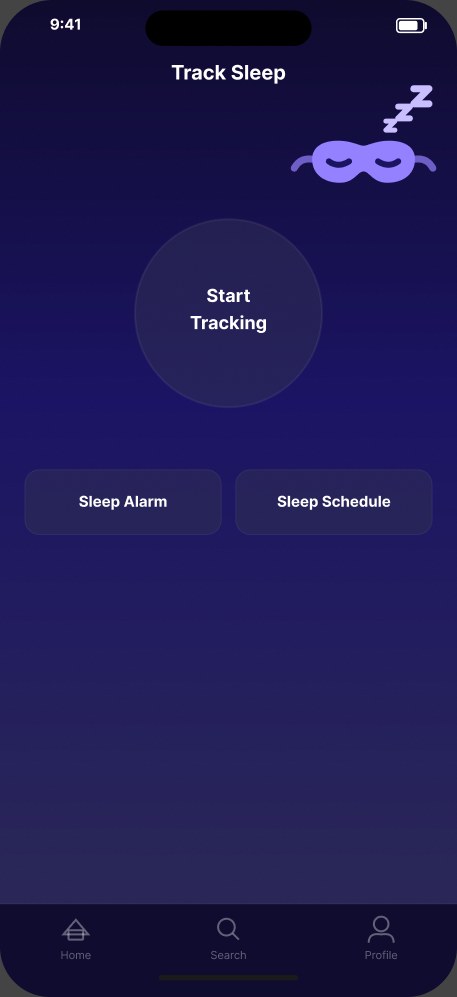
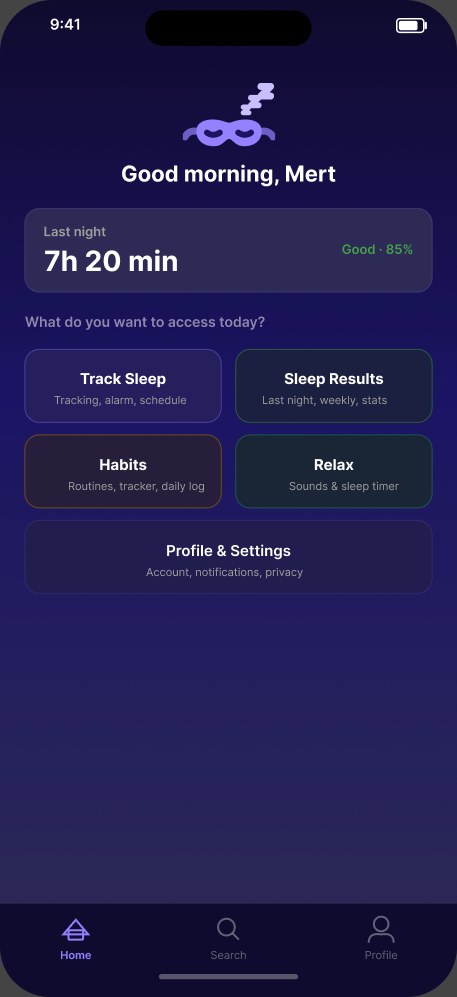
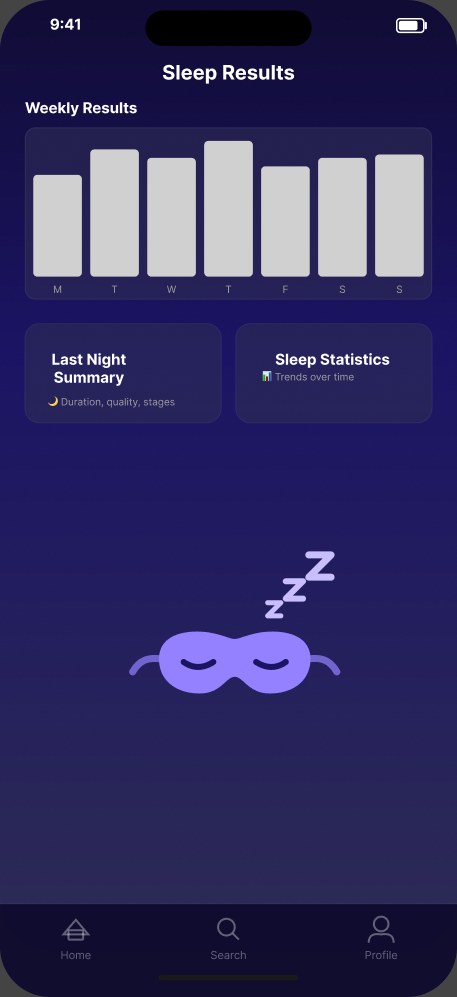
Zzzone track sleep screen Zzzone home screen Zzzone sleep results screen

Case study · Zzzone

A calm sleep tracker, designed for 2 am

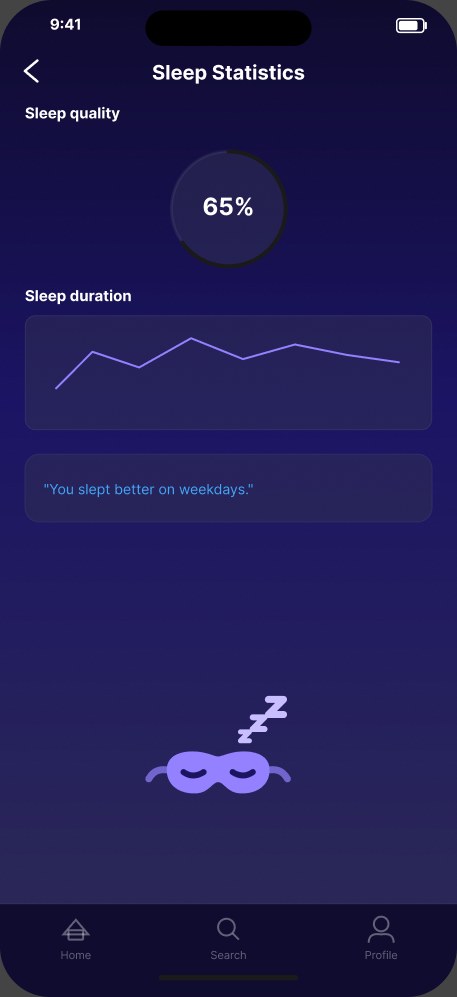
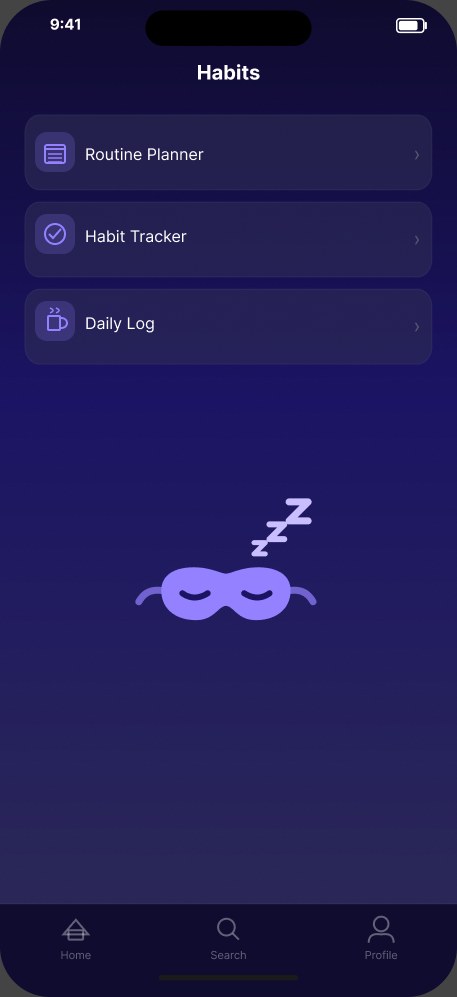
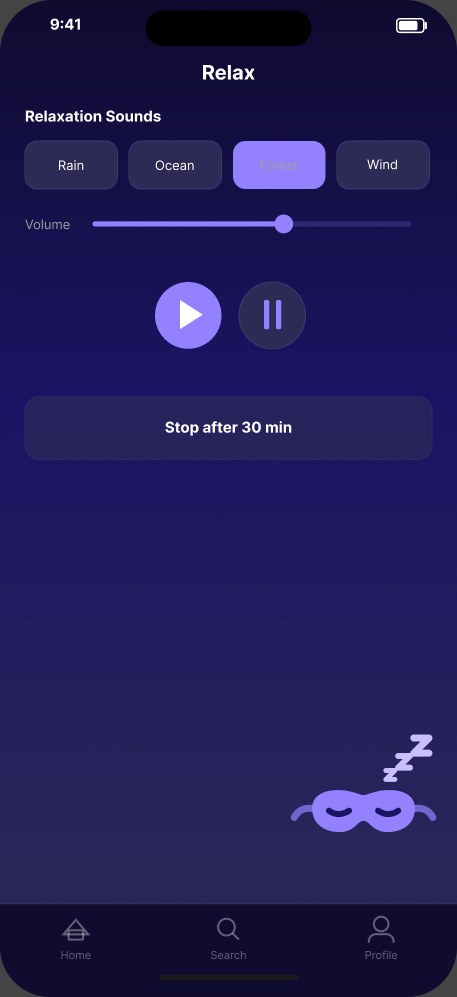
Dark indigo surfaces, large tap targets and one home screen with five clear sections. Every screen went from sketch to wireframe to high-fidelity mockup, with guerrilla usability tests along the way.

Home dashboard
Home
Sleep statistics
Statistics
Habits
Habits
Relax sounds
Relax
24screens designed
6design phases, sketch to hi-fi
5participants in guerrilla testing

Packages

Pick the size of your app

Every package includes a clickable Figma prototype and the source file, yours to keep.

Starter

€95
Up to 5 screens
  • Clickable prototype
  • Figma source file
  • 2 revision rounds
Choose Starter
MOST POPULAR

Standard

€290
Up to 12 screens
  • Clickable prototype
  • 1 round of user testing
  • Testing report (PDF)
  • 3 revision rounds
Choose Standard

Premium

€650
20+ screens
  • Design system
  • 2 rounds of user testing
  • Developer handoff
  • 3 revision rounds
Choose Premium

Prices exclude VAT, which is added where it applies. Need something in between? Send a brief and I'll quote it.

Process

From idea to tested prototype

  1. Send your brief

    Tell me what the app does, who it's for and which screens you need.

  2. Design

    I sketch the flow, then design your screens in Figma.

  3. Your feedback

    You review the first version and I refine it.

  4. User testing

    Real people try the prototype while I watch where they get stuck.

  5. Improve

    I fix what confused them and note every change in a report.

  6. Delivery

    You get the clickable prototype and the Figma file, ready for developers.

Start a project

Write your brief in one minute

Fill this in, copy the brief and send it to me on Instagram. I reply with a timeline and the next steps.


Instagram: @hoshi_lab_m · TikTok: @hoshi_lab_m
The example answers show the format. Replace them with your own.

Questions

Good to know

Do you write the app's code?

No. I design the screens and the clickable prototype. Your developers build the app from the Figma file, which includes the colors, spacing and components they need.

Who owns the designs?

You do. After delivery the Figma file is yours to edit, share with developers and use for your product.

How does user testing work?

I give the prototype to people who match your target users and ask them to complete real tasks, like signing up or finding a feature. I watch where they hesitate, then fix those spots. Testing is included in the Standard and Premium packages.

Do you use AI?

Yes, AI tools help me explore layouts and ideas faster. Every screen is designed, checked and tested by me.

How long does it take?

It depends on the package and number of screens. I give you a timeline after reading your brief, before you pay.

How do I pay?

Orders are paid securely through my Etsy shop, HoshiLabM.